Best Practice: What to do when you lose or accidentally delete data
Whenever data is lost, regardless of how that happens, always avoid writing new data to the affected storage volume, and keep a clear head! Read more…
Whenever data is lost, regardless of how that happens, always avoid writing new data to the affected storage volume, and keep a clear head! Read more…

It scans the entire hard disk, partition or USB Stick for lost files. Usage is very intuitive, with a step-by-step wizard enabling users with little or no experience to easily recovery data they feared was lost. The free trial version lets users see before they buy just what lost data is in fact recoverable! Read more…
It is exactly here where O&O BlueCon 16 comes into play: using a standalone Windows system, which can be run from a USB stick or CD, the installed operating system is bypassed and can be analyzed and repaired using the integrated tools in O&O BlueCon. Read more…
It scans the entire hard disk, partition or USB Stick for lost files. Usage is very intuitive, with a step-by-step wizard enabling users with little or no experience to easily recovery data they feared was lost. The free trial version lets users see before they buy just what lost data is in fact recoverable! Read more…
It is exactly here where O&O BlueCon comes into play: using a standalone Windows system, which can be run from a USB stick or CD, the installed operating system is bypassed and can be analyzed and repaired using the integrated tools in O&O BlueCon. Read more…
It is exactly here where O&O BlueCon comes into play: using a standalone Windows system, which can be run from a USB stick or CD, the installed operating system is bypassed and can be analyzed and repaired using the integrated tools in O&O BlueCon. Read more…
It is exactly here where O&O BlueCon 15 comes into play: using a standalone Windows system, which can be run from a USB stick or CD, the installed operating system is bypassed and can be analyzed and repaired using the integrated tools in O&O BlueCon. Read more…
It is exactly here where O&O BlueCon 14 comes into play: using a standalone Windows system, which can be run from a USB stick or CD, the installed operating system is bypassed and can be analyzed and repaired using the integrated tools in O&O BlueCon. Read more…
It scans the entire hard disk, partition or USB Stick for lost files. Usage is very intuitive, with a step-by-step wizard enabling users with little or no experience to easily recovery data they feared was lost. The free trial version lets users see before they buy just what lost data is in fact recoverable! Read more…
It scans the entire hard disk, partition or USB Stick for lost files. Usage is very intuitive, with a step-by-step wizard enabling users with little or no experience to easily recovery data they feared was lost. The free trial version lets users see before they buy just what lost data is in fact recoverable! Read more…
It is exactly here where O&O BlueCon 14 comes into play: using a standalone Windows system, which can be run from a USB stick or CD, the installed operating system is bypassed and can be analyzed and repaired using the integrated tools in O&O BlueCon. Read more…
It is exactly here where O&O BlueCon 14 comes into play: using a standalone Windows system, which can be run from a USB stick or CD, the installed operating system is bypassed and can be analyzed and repaired using the integrated tools in O&O BlueCon. Read more…
It scans the entire hard disk, partition or USB Stick for lost files. Usage is very intuitive, with a step-by-step wizard enabling users with little or no experience to easily recovery data they feared was lost. The free trial version lets users see before they buy just what lost data is in fact recoverable! Read more…
It is exactly here where O&O BlueCon 14 comes into play: using a standalone Windows system, which can be run from a USB stick or CD, the installed operating system is bypassed and can be analyzed and repaired using the integrated tools in O&O BlueCon. Read more…
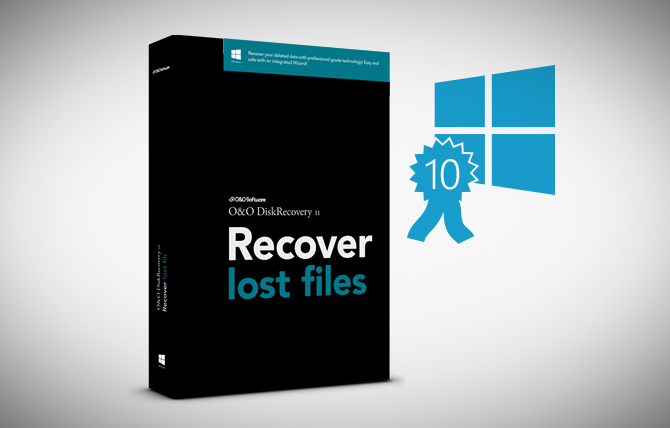
It scans the entire hard disk, partition or USB Stick for lost files. Usage is very intuitive, with a step-by-step wizard enabling users with little or no experience to easily recovery data they feared was lost. The free trial version lets users see before they buy just what lost data is in fact recoverable! Read more…
As a long-term Microsoft Gold Partner, O&O Software wants to guarantee now that its top products in the current version (effective date May 1st, 2015) will function under Windows 10. This means that O&O Defrag 18, O&O DiskImage 9, O&O SafeErase 8, O&O AutoBackup 4, O&O DiskRecovery 10 and the current O&O PowerPack will be compatible with Windows 10 at release or an appropriate free update will follow. Read more…
O&O DiskRecovery 9 searches for and reconstructs data that was deleted or lost through software error. It scans the entire hard disk, partition or USB Stick for lost files. Read more…
Eine Festplatte ist wie ein Buch Man muss sich dazu eine Festplatte einfach wie ein Buch vorstellen (ein richtiges, kein Kindle). Das Inhaltsverzeichnis ist die Dateiverwaltungstabelle (FAT und MFT bei NTFS), das auf die einzelnen Kapitel des Buches verweist (die Dateien). Löscht oder formatiert man nun eine Festplatte, dann “reißt” Windows einfach dieses Inhaltsverzeichnis heraus, … Read more
Am vergangenen Wochenende hat mein Notebook (ein schon etwas älteres Samsung Q45) plötzlich angefangen zu spinnen. Windows 7 hat Probleme mit dem Grafiktreiber gemeldet. Also mal deinstalliert und neu raufgepackt. Bluescreens kamen und das System blieb einfach hängen. Gut, dachte ich, bringe ich es am Montag zu meinen Kollegen von der Technik, die werden das … Read more